
EarProg - Chord Progressions1.1 - App Store
You'll be able to see results in few seconds.
Publisher Description
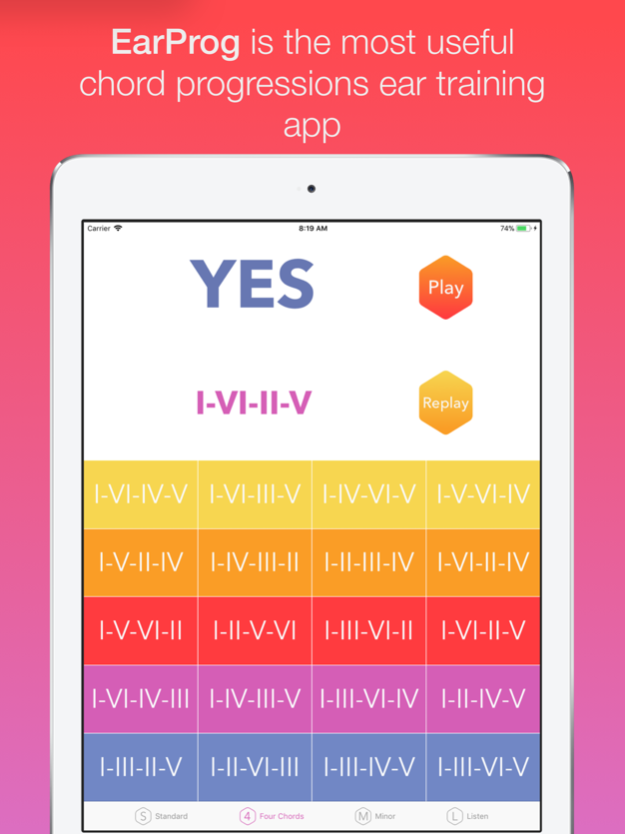
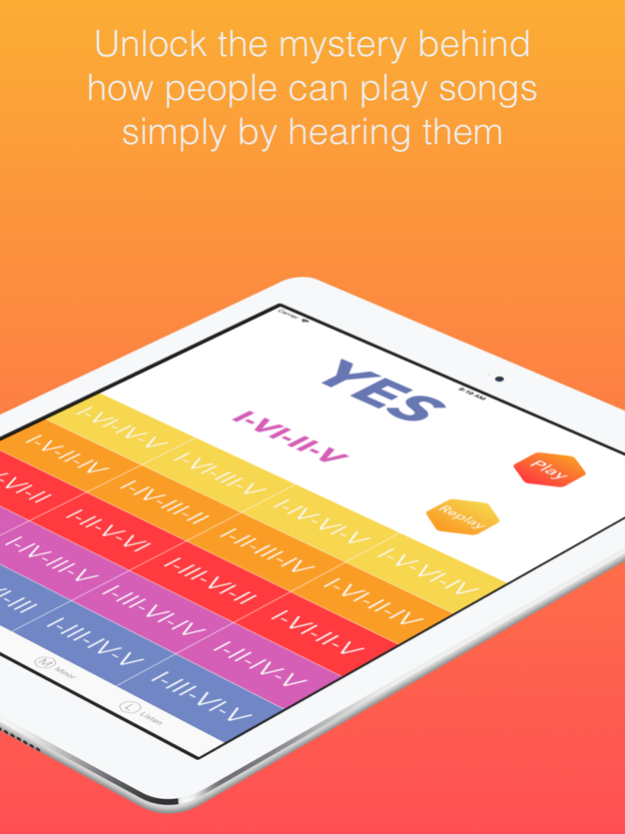
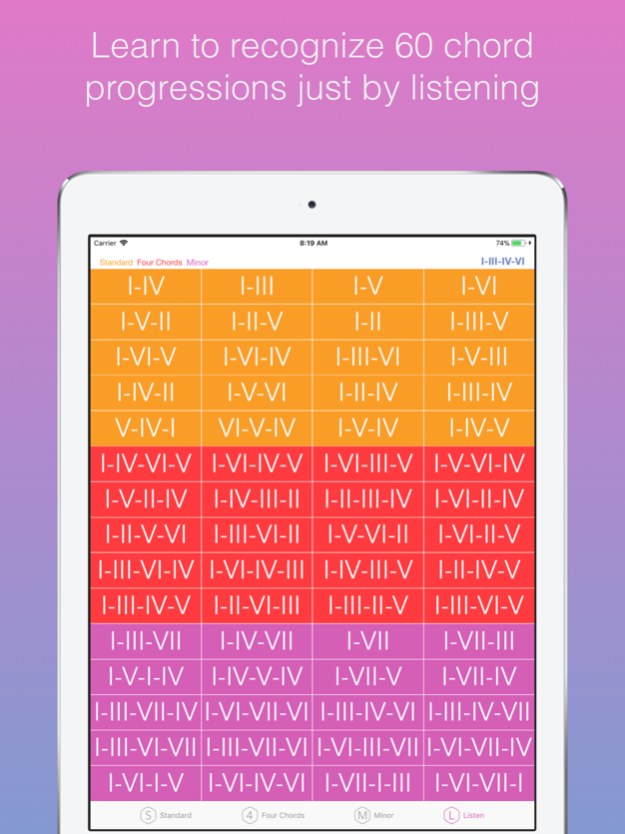
Unlock the mystery behind how people can play songs simply by hearing them. The most useful ear training app. Learn to identify 60 chord progressions just by listening.
The skill of identifying the musical notes of a melody is one of the most important skills for any musician. But being able to identify chord progressions is the closest thing to having superpowers. Knowing how to identify chord progressions opens the door to a world of possibilities as a musician, which will allow you to improve your songwriting, improvisations, jams onstage...
EarProg is the ultimate ear training app to help you identify chord progressions. With this app, you can train your ear to learn how to identify 60 different chord progressions.
Press “Play" button. When you press that button, it will sound a random progression. Tap the progressions below. If your answer is wrong you should press the "Replay" button to listen again to the progression and try again your answer.
EarProg features all these chord progressions separated into three categories:
-Standard: The most commonly used chord progressions in pop-rock music over the past 75 years. Basic movements of 2 and 3 chords that are the foundation of more complex structures. The audio examples are based on the key of C major;
I - C major
II - D minor
III - E minor
IV - F major
V - G major
VI - A minor
-Four Chords: A careful selection of progressions with 4 chords. Very common in choruses, intros...
Again, all examples are in the key of C major;
I - C major
II - D minor
III - E minor
IV - F major
V - G major
VI - A minor
-Minor. There are a large number of songs arranged in a minor key. If in addition to mastering chord progressions in a major key, you can identify progressions in a minor key, you will become an extremely exceptional musician. No situation will have any difficulty for you.
In this section, the examples are based on the key of A minor;
I - A minor
II - B dim
III - C major
IV - D minor
V - E minor
VI - F major
VII - G major
So you can listen to the chord progressions available in the app, you have a screen where all the progressions are grouped together.
Forget the scoring pressure. Ear training is not a competition. That's why no scoring is used in this app. Simply open the app and practice at your own pace, without pressure, for as long as you want. Mastering ear training is a gradual work. We're musicians, not Superbowl players!!
Become a first-class musician with EarProg.
Feb 14, 2018
Version 1.1
This app has been updated by Apple to display the Apple Watch app icon.
iPad portrait issue solved
About EarProg - Chord Progressions
The company that develops EarProg - Chord Progressions is David M. Alvarez Marin. The latest version released by its developer is 1.1.
To install EarProg - Chord Progressions on your iOS device, just click the green Continue To App button above to start the installation process. The app is listed on our website since 2018-02-14 and was downloaded 0 times. We have already checked if the download link is safe, however for your own protection we recommend that you scan the downloaded app with your antivirus. Your antivirus may detect the EarProg - Chord Progressions as malware if the download link is broken.
How to install EarProg - Chord Progressions on your iOS device:
- Click on the Continue To App button on our website. This will redirect you to the App Store.
- Once the EarProg - Chord Progressions is shown in the iTunes listing of your iOS device, you can start its download and installation. Tap on the GET button to the right of the app to start downloading it.
- If you are not logged-in the iOS appstore app, you'll be prompted for your your Apple ID and/or password.
- After EarProg - Chord Progressions is downloaded, you'll see an INSTALL button to the right. Tap on it to start the actual installation of the iOS app.
- Once installation is finished you can tap on the OPEN button to start it. Its icon will also be added to your device home screen.
Program Details
System requirements
Download information
Pricing
Version History
version 1.1
posted on 2018-02-14
Feb 14, 2018 Version 1.1
This app has been updated by Apple to display the Apple Watch app icon.
iPad portrait issue solved
Disclaimer
Official App Store Link
We do not host EarProg - Chord Progressions on our servers. We did not scan it for viruses, adware, spyware or other type of malware. This app is hosted by Apple and passed their terms and conditions to be listed there. We recommend caution when installing it.
The App Store link for EarProg - Chord Progressions is provided to you by apps112.com without any warranties, representations or guarantees of any kind, so access it at your own risk.
If you have questions regarding this particular app contact the publisher directly. For questions about the functionalities of apps112.com contact us.
